




Demystifying Memory Cards: A Beginner's Guide
 Jul 13, 2024|
 Memory cards play an important role in the world of photography and videography, but their complex labels and specifications often confuse users. In this blog post, we would like to pay tribute to the memory card industry for keeping pace with the rapidly evolving camera industry.
I will analyze the basic aspects of memory cards: form factor, capacity, and speed.
By understanding these basics, you will be better able to choose the right memory card for your camera and ensure seamless photo and video capture.


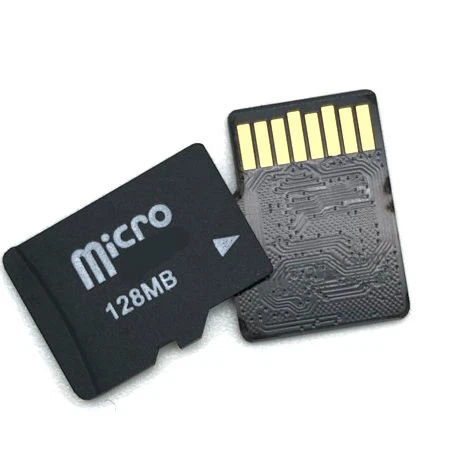
Memory Card Sizes
Memory cards come in a variety of physical sizes and shapes, and it is important to know which memory card will fit your camera. Here are some common sizes:
SD (Secure Digital) Cards: Many DSLR and mirrorless cameras come with SD cards, which come in a variety of sizes, including SDHC and SDXC. These names refer to cards with higher storage capacities, but the form factor is the same.
MicroSD Cards: Commonly used in action cameras, mobile phones, and gaming consoles. They often come with adapter sleeves, but you should avoid using them in cameras that require standard SD cards because they affect the card's write speeds.
Compact Flash (CF): An older technology that is being phased out but is still used in some cameras. CF cards are larger and thicker than SD cards.
XQD and CFExpress: These cards have a similar form factor. They are high-performance memory card formats used primarily in professional cameras and equipment for storing high-quality photos and videos.
To determine which format your camera supports, check the manufacturer's specifications. For example, when you go to the "Specifications" area on the Nikon Z6ii camera listing on the B&H website, you'll see that next to "Media/Memory Card Slots" it's listed as compatible with CFExpress, XQD, and SD cards.
Capacity: How much can your memory card hold?
Memory cards list their storage capacity, usually in gigabytes (GB) or terabytes (TB). However, the number of photos or videos a card can hold depends on the file size. Here are some general guidelines to help you figure out what size card you need:
A 64 GB card will hold 320 minutes of 1080p recording or 2,200 30MB RAW files
A 128 GB card will hold 640 minutes of 1080p video or 4,300 30MB RAW files
Personally, for stills I find a 64GB card to be sufficient, while for video I prefer a 128GB card.
You may think that more is better, but I would caution you to reconsider that. Memory cards are not meant for long-term storage. The purpose of a memory card is to store the photos you take, but you will need to transfer them to a more stable, long-term storage solution like a hard drive. If you want to learn more, check out my previous post on photo storage for photographers.
Formatting a Memory Card
The first thing you will want to do with a new card is to format it.
Formatting a memory card essentially wipes all the files off the card. Formatting also sets the correct file format for your camera or device on that card. This optimization helps the card run efficiently and reduces the risk of file system errors.
This is also an important step once all the files you've shot have been safely transferred to your hard drive. Not only does this allow you to use the card again, but it's also a best practice for card maintenance. It removes any hidden or corrupted files that have accumulated, which can cause data fragmentation, which can degrade the card's performance over time.
You can format a memory card by placing it in your camera's card slot and selecting "Format Memory Card" from the camera's menu. Of course, make sure you have all your files before you do this!
Memory Card Write Speed
The write speed of a memory card indicates how quickly it can write information from the camera to the card. This speed is especially useful when shooting high-resolution photos and videos. The different speed classes include:
Speed Class (C): Indicated by a C followed by a number (e.g. C10), it indicates the minimum write speed in megabytes per second (MB/s). A C10 card guarantees a minimum write speed of 10 MB/s.
UHS Speed Class (U): There are two classes: U1 and U3, with U3 offering a minimum sustained write speed of 30 MB per second.
Video Speed Class (V): Indicated by a V followed by a number (e.g. V60), it indicates the minimum number of MB per second that can be written to the card when recording video.
Based on today's standards, I personally focus on Video Speed Class because it is the newest standard and has the highest potential in terms of minimum performance for the card. This chart from the SD Association's website helps show the overlap between the different classes. It can also help you understand what type of class you need based on the type of work you're doing. For example, if you're recording 4K footage, you'll want to find a card with at least a C10, U1, V10 rating.
You can also choose a card with a higher speed than you need. For example, you won't have any problems recording Full HD 1080p video with a v90 card. However, if you try to shoot 8k with a v6 card, your card won't be able to keep up with the speed of your camera.